
Multiplayer by Design: How Glade's Real-Time Collaborative UI Changes How Law Firm Teams Work Cases Together (June 2026)

Three people need the same client file open at once: intake chasing signatures, your paralegal keying schedules, and the attorney drafting the motion. If your system locks the record or scatters updates across email and Slack, someone's work gets duplicated or missed entirely. Real collaborative legal case management means the case itself is the shared workspace, where everyone sees live changes, tasks route automatically, and the file advances without someone playing air traffic controller. Glade is built that way, so your team can run 50+ cases a month without the bottlenecks that come from tools designed for one person at a time.
TLDR:
- 57% of firms report better collaboration after adopting case management software, per Global Growth Insights
- Real-time co-editing and role-based task queues cut bottlenecks when multiple staff touch the same file
- Cloud-based document systems with version control stop the "which final draft" problem
- 34% of small and mid-sized firms cite upfront cost and integration as adoption blockers
- Glade uses event-driven workflows where questionnaire completion auto-triggers next tasks for high-volume bankruptcy teams
Core Features That Support Legal Team Collaboration
Once multiple people touch the same matter (a paralegal pulling credit reports, an attorney reviewing exemptions, intake staff chasing signatures), you need a shared source of truth or work gets duplicated and dropped. Roughly 57% of firms report improved internal collaboration after adopting dedicated case management software, and 58% cite remote collaboration as a key adoption driver, per Global Growth Insights.
When firms shop for collaborative case management systems, the feature checklist looks similar across vendors. What matters is whether each piece actually removes friction from how a team works a file together.
- Centralized document management with version control, so the petition draft your paralegal opened at 9 a.m. is the same one the attorney reviews at 4 p.m.
- Real-time co-editing on shared records, cutting the "wait, I'm in it" Slack message out of the workflow.
- Role-based access permissions that keep intake staff out of trust accounting and give contract attorneys scoped views.
- Shared calendars and deadline tracking tied to the matter, not someone's personal Outlook.
- Task assignment with visible status, so nobody has to ask who pulled the credit report.
- Integrated chat and comments that keep case discussion attached to the file instead of buried in email.
Workflow Dimension | Manual Email-Based Coordination | Collaborative Case Management System |
|---|---|---|
Document Version Control | Multiple staff save competing drafts with names like petition_v3_FINAL_revised.docx, and the wrong file gets filed | Single living record with edit history, locked storage, and audit trail showing who changed what |
Task Visibility | Paralegals ask via Slack who pulled the credit report because no shared queue exists | Role-based queues where each paralegal sees only their open work with visible status on every assigned task |
Client Communication Tracking | Email threads scatter across Gmail, Slack, and case folders so the same update lives in three places | In-app messaging scoped to the matter keeps client discussion attached to the file with activity feeds in chronological order |
Multi-Person Access | Record locks or delayed updates when intake, paralegal, and attorney need the same file open at once | Real-time co-editing where a paralegal on Schedule D and attorney drafting the motion work in parallel without conflicts |
Scaling Bottlenecks | Volume exposes whoever holds the bottleneck because the firm cannot see which files are waiting on signatures versus credit pulls | Workload dashboards flag uneven distribution before a file goes dormant and dependency chains auto-trigger next assignee |
Document Management and Version Control in Collaborative Environments
Email attachments fall apart when two people open the same draft. Someone saves "petition_v3_FINAL_revised.docx," another saves "petition_v3_FINAL_use-this-one.docx," and the wrong file gets filed. Cloud-based multi-case document management systems collapse that into one record with a live edit history, locked storage, and an audit trail of who changed what.

About 73% of law firms now run cloud-based tools, the baseline for teams working across home offices, courthouses, and client meetings the same day.
Three pieces matter for case files:
- Simultaneous editing without lock conflicts, so a paralegal on Schedule D and an attorney drafting the motion work in parallel.
- Granular version history that rolls back a single field, not the whole document.
- Permission scopes tied to matter role, so contract reviewers see drafts but not the trust ledger.
Task and Workflow Assignment Across Legal Teams
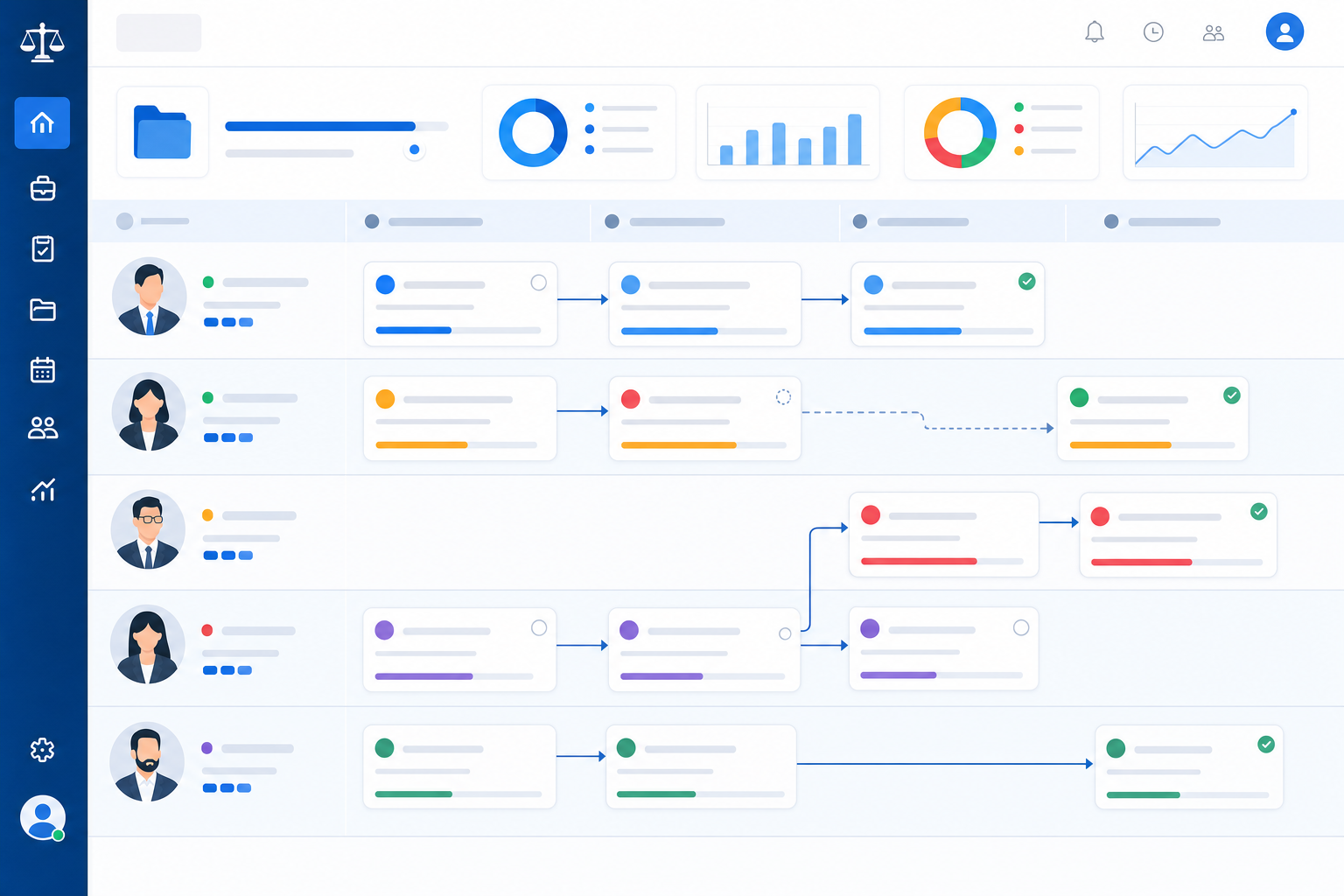
Volume exposes whoever holds the bottleneck. When a paralegal carries 40 active files and the firm can't see which are waiting on a signature versus a credit pull, cases stall in silence. Task assignment closes this gap by attaching every action to a named owner, a due date, and a visible status on the matter record.
What actually moves the needle:
- Role-based queues, so each paralegal sees only their open work instead of a firm-wide pile.
- Deadline alerts tied to court dates and statutory windows, not someone remembering to check.
- Workload dashboards that flag uneven distribution before a file goes dormant.
- Dependency chains, where a document upload triggers the next assignee automatically through legal workflow standardization.
Real-Time Communication and Notifications
Email threads scatter context. By the time a paralegal forwards the trustee's question to the attorney, drops it in the case folder, and pings Slack, the same update lives in three places and none of them is the matter record. Communication tied to the case file closes that gap.
- @mentions on a matter that notify the named teammate and log the thread inside the case, so the next person opening the file sees the conversation in context.
- Activity feeds showing every status change, document upload, and assignment in chronological order.
- Automated notifications on triggers (questionnaire completed, payment received, court notice ingested) instead of someone refreshing PACER.
- In-app messaging scoped to the matter, keeping client discussion off personal inboxes.
Adoption Challenges for Collaborative Legal Software
Even firms that want a shared system hit real friction getting there. Senior attorneys who built their workflow around a desk folder rarely welcome a tool that asks them to log activity.
Around 34% of small and mid-sized firms cite upfront cost and integration complexity as the primary adoption barrier.
The recurring blockers:
- Training overhead for staff who learned Best Case or Jubilee a decade ago.
- Data migration from spreadsheets and legacy databases with inconsistent client records.
- Billable-hour tension, where time saved feels like revenue lost on hourly matters.
- Vendor lock-in fears tied to proprietary file formats.
Integration with Existing Legal Technology Stacks
Most firms run Outlook or Gmail for client threads, Microsoft 365 or Google Workspace for documents, and QuickBooks or LawPay for billing. Unified legal practice management platforms solve this by consolidating these tools. Collaboration tools have to meet that reality or sit unused.
What good integration looks like in practice:
- Two-way email sync that attaches client threads to the matter automatically, so a Gmail or Outlook reply lands on the case record without copy-paste.
- Document repository connections that surface Microsoft 365 or Google Workspace files inside the case view, with permissions intact.
- Billing handoffs to QuickBooks, LawPay, or an existing AR system so collections data flows without a nightly export.
- Open APIs and MCP-style data access for the AI clients your team already runs, so context reaches across tools.
Security and Compliance in Collaborative Legal Workflows
More collaborators means more access points, and every new login is a surface area for breach or inadvertent disclosure. Purpose-built legal collaboration tools answer that with layered controls instead of bolted-on permissions.
The baseline a firm should require:
- End-to-end encryption in transit and at rest, with keys scoped to the tenant.
- Role-based access tied to matter role, so contract attorneys, paralegals, and intake staff see only what their work demands.
- Immutable audit trails on every view, edit, and share, defensible if a privilege challenge reaches a bar inquiry.
- External-share controls with expiration and revocation, since client portals and co-counsel links are the weakest link.
- Compliance covering ABA Model Rule 1.6, state confidentiality rules, GDPR, and HIPAA where medical records touch the file.
How Glade's Real-Time Collaborative UI Changes Team Workflows in High-Volume Bankruptcy Practices
Glade is built for the 50 to 100+ cases per month firm, where collaboration is the wall holding the practice up. Matters are first-class records with assigned roles, so a paralegal's queue, an attorney's review pile, and the intake team's pending signatures all live on the same file.
A few pieces do the heavy lifting:
- Behavioral custom statuses that auto-complete pending tasks and advance the next teammate's work, instead of sitting as passive labels.
- Event-driven workflows where a questionnaire completion fires the paralegal's document-check task and queues attorney review.
- Internal notes with rich text and file attachments on the matter, so context survives staff turnover.
- AI client synopsis and conversational search, so a paralegal carrying 20,000+ active tasks can surface a file going dormant before the 11-month mark.
- Multi-conversation AI Assistant threads that persist across sessions.
Four of the country's top ten bankruptcy firms by filing volume run Glade for petition prep and e-filing. Setup completes in days, so a firm can scale case volume without burnout without adding paralegals one-for-one.
Final Thoughts on Collaborative Legal Case Management Systems
Collaborative legal case management becomes the bottleneck the moment your tools require more coordination than the work itself. If your paralegals still chase version conflicts or ask who's handling the next step, the system isn't carrying the load. Book a demo to see how Glade's real-time co-editing and event-driven task assignments keep your team moving files forward without the Slack check-ins.
FAQ
Can I build collaborative legal case management without replacing my entire tech stack?
Yes. Most effective implementations meet your existing stack where it is. Two-way email sync keeps client threads attached to matters without leaving Gmail or Outlook, document repository connections surface Microsoft 365 or Google Workspace files inside the case view, and billing handoffs to QuickBooks or LawPay move collections data without nightly exports. Open APIs and MCP-style data access let AI clients you already run reach across tools for context.
What's the difference between collaborative case management and solo practice file tracking?
File tracking breaks structurally once multiple people touch the same matter. A single attorney can keep state in memory and a desk folder; a five-person team cannot. Collaborative case management provides a shared source of truth for documents, tasks, deadlines, and client communication, so when a paralegal pulls credit reports, an attorney reviews exemptions, and intake staff chase signatures, work doesn't get duplicated or dropped.
How do role-based permissions actually work in bankruptcy workflows?
Permissions tie to matter role, not blanket firm-wide access. Intake staff see questionnaires and appointment calendars but stay out of trust accounting; contract attorneys get scoped views of specific files; paralegals access the documents and schedules they're assigned to prepare. The system enforces these boundaries automatically, so you're not manually hiding folders or locking spreadsheets every time someone new joins a case.
Real-time collaborative legal case management vs. email-based coordination?
Real-time systems collapse updates into one living record instead of scattering them across email threads, Slack pings, and case folders. When a document uploads or a questionnaire completes, the next assignee sees the change instantly on the matter itself: no forwarding, no copying into three places, no asking who has the latest version. Email-based coordination creates context drift; collaborative systems keep the conversation and the file together.
What adoption barriers should I expect when rolling out collaborative case management?
Training overhead for staff who learned legacy tools years ago, data migration from spreadsheets with inconsistent client records, billable-hour tension where time saved feels like revenue lost on hourly matters, and vendor lock-in fears tied to proprietary file formats. Solve these with an executive sponsor, a paralegal change champion, and a phased rollout starting on one practice area before firm-wide cutover.